
← Back to the BLANK card · All how-to pages
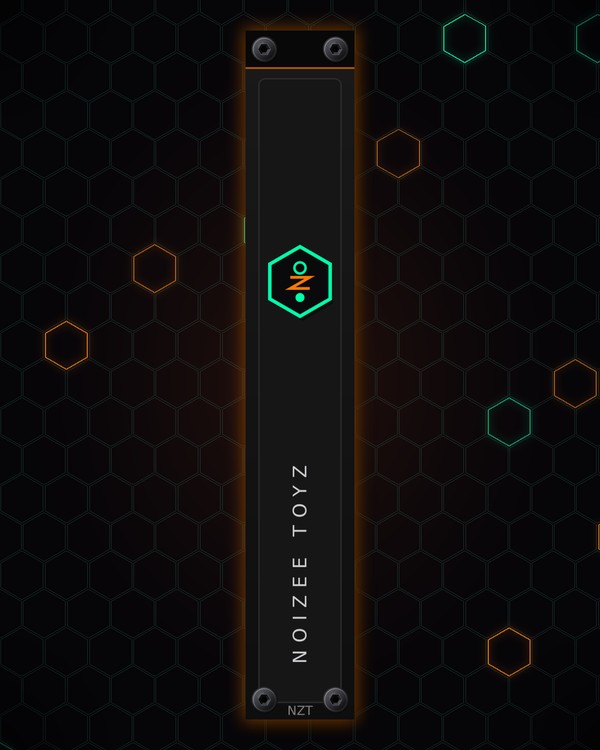
How to use
BLANK
FREE · download it from its card
What it does
BLANK fills empty space in your rack with a NoiZee ToyZ panel. It is 1 to 32 HP wide and comes in three looks: BADGE, BACKLIT or CIRCUIT. It has no jacks or knobs; everything is in the right-click menu.
Quick start
- Add BLANK next to a gap in your rack.
- Drag its right edge to make it wider or narrower (it snaps to whole HP and stops at a neighbour), or pick a size in the right-click menu, Width.
- Right-click and pick a Look.
Controls
Right-click menu
- Look: BADGE (the hex Z logo as an enamel badge), BACKLIT (slots and the name lit orange from behind, so it glows when you turn the room lights down in Rack) or CIRCUIT (the logo's lines, nodes and lightning Z).
- Show the NoiZee ToyZ name: the name up the panel, on or off.
- Width: 1 to 32 HP. At 1 and 2 HP it becomes a thin card with centred screws.
Tips
- The three looks are the same designs as BACKDROP's NOIZEE BADGE, NOIZEE BACKLIT and NOIZEE CIRCUIT rack ears: pick the one that matches your ears.
- BACKLIT glows when you dim the room lights in Rack; it suits a dark background.